Obsidian and Ghost and footnotes
The Ghost editor is good, but you need to be online to write. That's not usually a problem ... a greater issue is that you're restricted to the features of the editor that Ghost offers.
For example, and I can't think why you'd ever need to, but if you were writing about temperatures and wanted to change every occurrence of a °F temperature to a °C you'd need to apply some CSS/Javascript wizardry.
Alternatively, you could write offline in some sort of text editor, then prior to uploading it you could process it with a script that did the necessary substitution ... (°F-32)x(5/9), remembering to also change the units to °C.
A contrived example, here's a better one ...
Ghost lacks support for native footnotes. As a writer, I'd say this is the greatest failing of the Ghost editor.
There are a number of workrounds, the best I've seen - and unsurprisingly the one I use - was recommended by Cathy Sarisky and utilises some simple Javascript that can be 'injected' into the page footer.
Cathy's instructions suggest indicating the location of the footnote with a number in doubled square brackets e.g. [[3]], and then adding the body of the footnote elsewhere on a separate line, so something like:
[[3]]: Here is the footnote text that will appear in a popup
Easy ... except there are even easier ways to do this.
I write in Obsidian, using Markdown.
If I want to insert a footnote I simply type {{101 Here is a footnote.}}, and if I want to add a second, I do something like {{188 And here is another.}}.
I then - before uploading the text - process my Obsidian Markdown using a simple perl script that finds every footnote, extracts the text, inserts a correctly formatted number in brackets in the text, with a matching number and the footnote text moved to the end of the document ... so I end up with this:
If I want to insert a footnote I simply type {{1}}, and if I want to add a second, I do something like {{2}}.
[lots more text removed for clarity]
{{1}}: Here is a footnote.
{{2}}: And here is another.
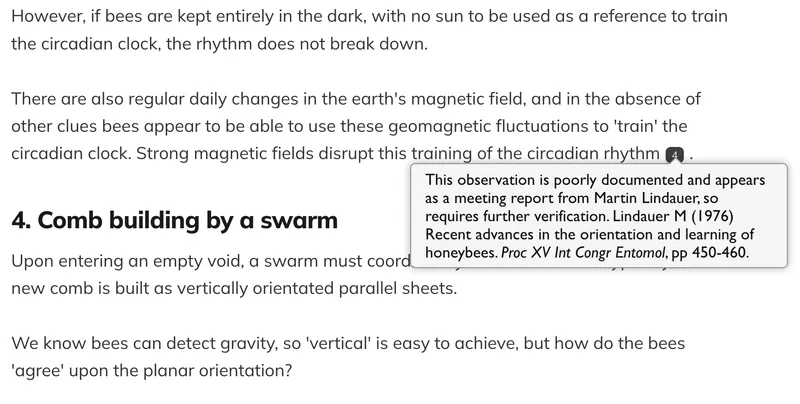
I then upload the page using the Send-to-Ghost plugin for Obsidian which, with the additional Javascript in the page footer, creates neat little popup footnotes when viewed on the web.
Curly brackets
Obsidian uses doubled square brackets for internal document linking. Perhaps there are ways of customising this? I've not checked.
Instead, I modified the Javascript to find and replace double curly brackets {{squiggles}} which don't appear to clash with anything.
The number used within the footnote is irrelevant ... the Javascript automagically orders them, incrementing from 1. My perl script only needs the numbers to be 3-5 digits, and unique.
Finally, it's worth noting that since these footnotes are processed with Javascript, they do not work in the Ghost emailed newsletters. Readers there see the {{2}} embedded footnotes, with the text available at the bottom of the newsletter if they want to read it.