Complex 2D shapes in Autodesk's Fusion
I wanted to print the silhouetted outline of a bird on my 3D printer (why? See the notes at the end), but the software I use — Autodesk Fusion — does not allow freehand drawing. Neither can it directly read on import typical vector graphics file formats such as SVG (Scalable Vector Graphics).
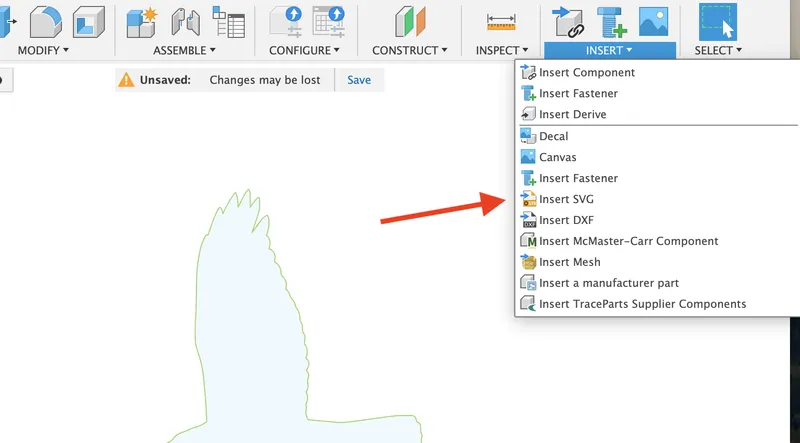
Instead, you need to create the image in another application (I used Inkscape on my Mac), export it as an SVG, and then choose Insert SVG from the Insert menu.
Obvious when you know how, but it took me some time to find this, so thought I'd make a note for future reference.
Note The bird shapes were hawks in flight, to stick to large windows and deter small birds from flying into them in a mistaken attempt to fly 'through' our house. Distressing for me and the small birds, though perhaps not in equal measure.